Modes
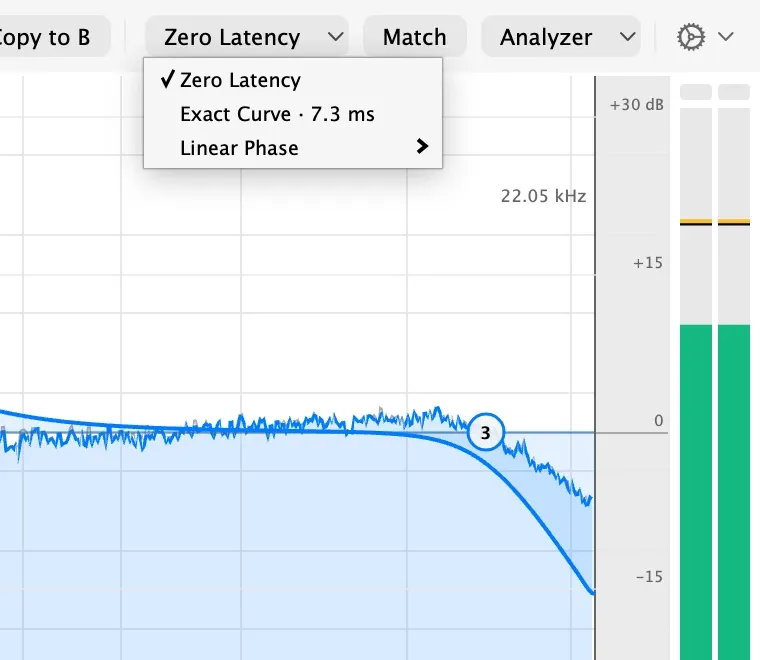
Mode, in the top bar, chooses how the curve is applied. Each entry shows its latency at your session’s sample rate, and your DAW compensates for it.
| Mode | Latency | Use it for |
|---|---|---|
| Zero Latency | None | Recording and live playing. The curve holds the analog shape to the top of the audio range, within the bound in the specifications. |
| Exact Curve | About 7 ms at 44.1 kHz | Mixing, when you want the shape and phase of an analog EQ at every sample rate. |
| Linear Phase | Longer, set by Resolution | Mastering, when you want no phase shift at all. |
Under Linear Phase, Resolution trades latency for low-frequency precision: a longer setting resolves low frequencies more exactly and adds more delay. Each band also gets a Phase choice: Linear keeps its timing untouched, and Natural gives it the timing of an analog filter with no pre-ringing. A low shelf can stay linear while the bells above it stay natural.
Mode and Resolution are setup choices, not automation, because changing them changes the plugin’s latency.